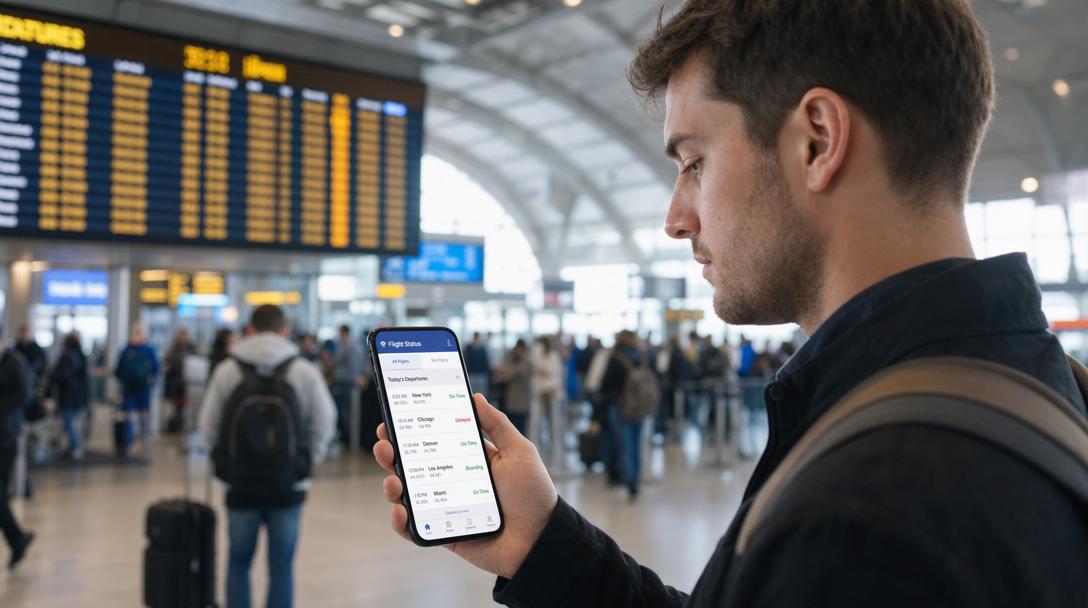
Missed flights cost travelers over $4 billion annually in rebooking fees and lost wages. Tracking flight status before and during travel is no longer optional—it’s a necessity. Whether you’re a seasoned business traveler or a first-time vacationer, mastering flight tracking ensures you stay ahead of delays, gate changes, and unexpected cancellations. This guide walks you through seven actionable steps to monitor your flight status like a pro.
Step 1: Choose a reliable flight tracking method
Flight tracking tools vary in accuracy and features. Websites like Google Flights, FlightAware, and airline-specific apps provide real-time flight tracking, while SMS alerts and airport monitors offer basic updates. For comprehensive data—like live maps, turbulence reports, and historical on-time performance—opt for dedicated platforms like real-time flight tracking. Pro tip: Avoid third-party apps that charge for premium features; many free options deliver equally robust data.
Warning: Some budget apps sell outdated data or lack airline partnerships, leading to inaccurate arrival times. Stick to services with direct airline integrations.
Step 2: Gather your flight details
Locate your flight number (e.g., AA100 for American Airlines flight 100) and departure/arrival airports. These details are required for all tracking methods. Common mistake: Confusing flight numbers with booking reference codes. If you booked through a travel agency or third-party site, cross-check your confirmation email to avoid input errors.
Step 3: Input flight data into your chosen tracking tool
Enter the flight number or route (e.g., JFK to LAX) into your selected platform. Dedicated flight tracking apps often auto-detect changes once you save the flight. For example, FlightAware’s “My Flights” feature updates push notifications as your departure time approaches. If using Google Flights, bookmark your search for quick access to live status updates.
Step 4: Set up real-time alerts
Enable push notifications, email, or SMS alerts for instant updates. Most platforms let you customize triggers: gate changes, boarding start times, departure delays, or landing confirmations. Southwest Airlines’ app, for instance, sends seat upgrade alerts 30 minutes before boarding—a lifesaver for last-minute upgrades. Pro tip: Share your flight status link with family or ride-share drivers to coordinate pickups.
Step 5: Cross-reference airline apps for official updates
While third-party tools aggregate data, airline apps provide authoritative information. Delta’s Fly app, for example, displays real-time baggage carousel updates post-landing—a detail absent from most third-party platforms. If your flight status shows “on time” on Google Flights but the airline app warns of a 15-minute delay, prioritize the airline’s info.
Step 6: Use live maps to visualize delays
Tools like real-time flight tracking include interactive maps showing aircraft locations, weather disruptions, and air traffic congestion. A red line on the map indicates delays—hovering over it reveals the cause (e.g., “Houston ground stop due to thunderstorms”). This helps you anticipate ripple delays even if your current flight status appears normal.
Step 7: Understand the difference between scheduled and actual status
“Scheduled departure” means the original timetable; “estimated departure” reflects real-time adjustments. A flight marked “Boarding” with an estimated 45-minute delay suggests active delays at the departure gate. If your status reads “In Air” but arrival time is grayed out, it may indicate communication issues with the aircraft—contact the airline for clarity.
Key Takeaway: Real-time flight tracking isn’t just about avoiding missed flights—it’s about optimizing connections, reducing airport stress, and negotiating rebooking priority during cancellations.
By following these steps, you’ll gain control over your travel itinerary, turning chaotic delays into manageable hiccups. For deeper savings, pair your tracking skills with how to get flight discounts to offset unexpected rebooking costs. The next time thunderstorms hit Houston, you’ll know exactly how to reroute—and save—before the airline even announces the delay.
Frequently Asked Questions
Why is tracking flight status important?
Tracking flight status is crucial for travelers to stay informed about delays, gate changes, and cancellations. It helps avoid rebooking fees and lost wages, which collectively cost travelers over $4 billion annually.
What are some reliable methods for tracking flights?
Reliable flight tracking methods include websites like Google Flights and FlightAware, as well as airline-specific apps. For comprehensive data, dedicated platforms offering live maps and historical performance are recommended.
What information do I need to track my flight?
To track your flight, you need your flight number (e.g., AA100) and the departure and arrival airports. It's important not to confuse the flight number with your booking reference code.
How can I receive real-time updates for my flight?
You can set up real-time alerts through push notifications, email, or SMS on most tracking platforms. These alerts can notify you of gate changes, boarding times, delays, or landing confirmations.
Should I trust third-party tracking apps or airline apps more?
While third-party tools aggregate data, airline apps provide the most authoritative information. If there's a discrepancy, prioritize the information from the airline's official app.
How can live maps help with flight tracking?
Live maps show aircraft locations, weather disruptions, and air traffic congestion, helping you visualize potential delays. A red line on the map can indicate delays and reveal their causes, even if your flight status appears normal.
What is the difference between 'scheduled' and 'actual' flight status?
'Scheduled departure' refers to the original timetable, while 'estimated departure' reflects real-time adjustments. A flight marked 'Boarding' with an estimated delay indicates active delays at the gate.